 Fireball Fitness
One App. Every Way You Train.
Lifting, cardio, intervals and bodyweight in one app for iPhone, Apple Watch and the web. An AI coach is built in to set it all up for you, and your data stays yours.
In TestFlight now. Free to sign up. Planned paid plan: $10 a month or $110 a year (draft pricing).
Train
Not Just a Lifting App
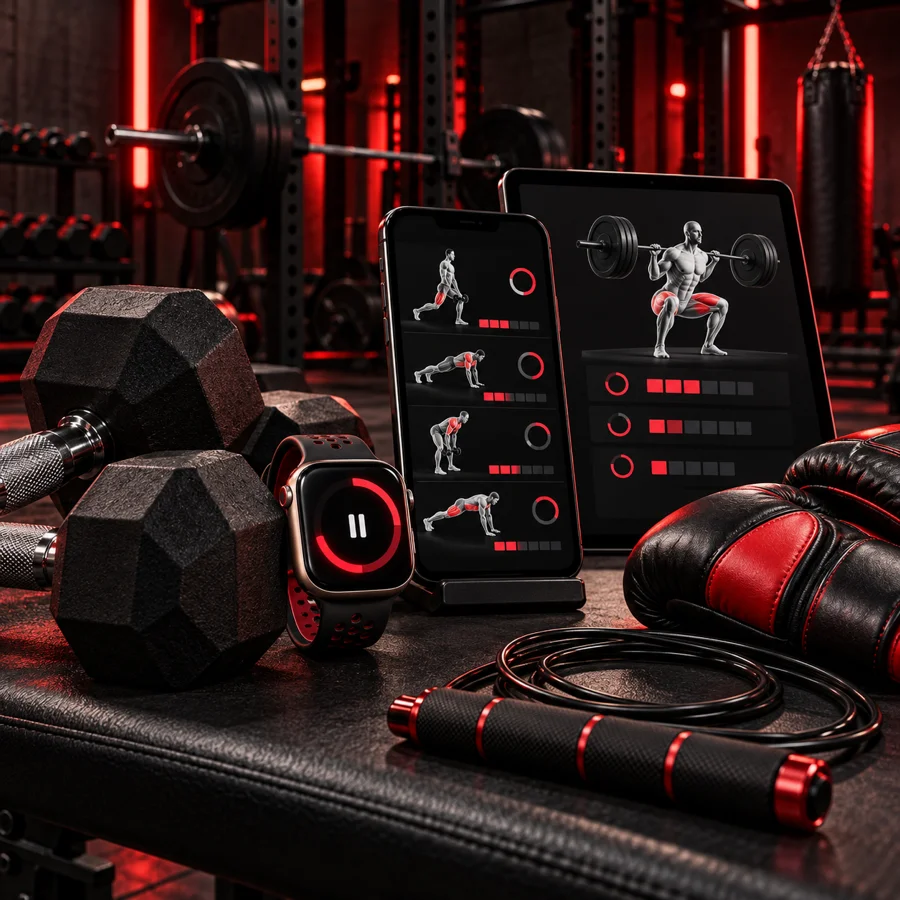
Four tabs cover the way you actually move, and every place you train keeps its own equipment, so you only see what you can do there.
Lifting →
Workouts built around the equipment where you train, with set plans, supersets and personal bests.
Cardio →
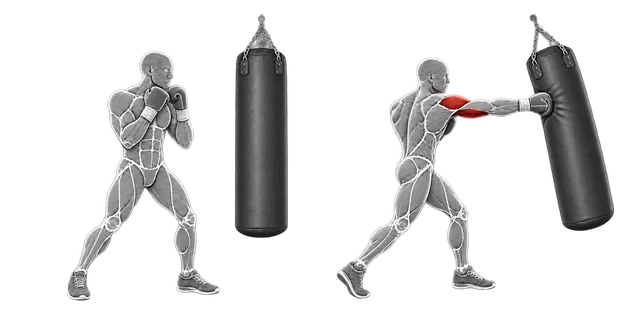
Rides, runs, hikes, swims, kickboxing, jump rope, yoga and more, with GPS, heart rate and calories.
Intervals →
Rounds, Tabata, EMOM, AMRAP and For Time timers that talk you through every step.
Bodyweight →
No equipment needed: ready-made workouts and programs for home, the road or the park.
Your Way
Ready Made, or Made by You
Start with what is already there, change everything, or build it all yourself. The coach is there when you want it and out of the way when you don't.
Over 1,000 Exercises
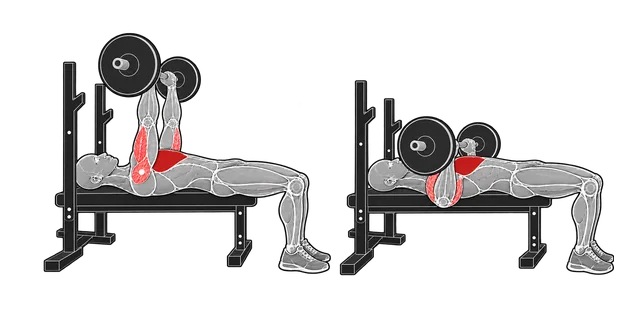
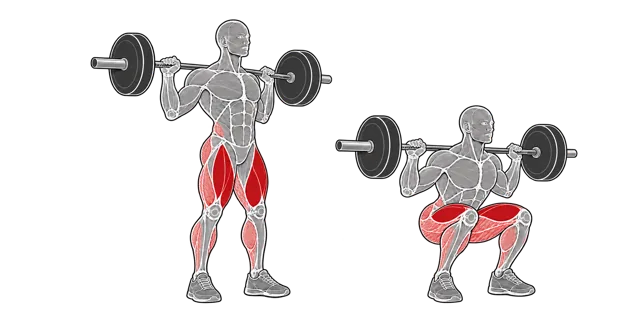
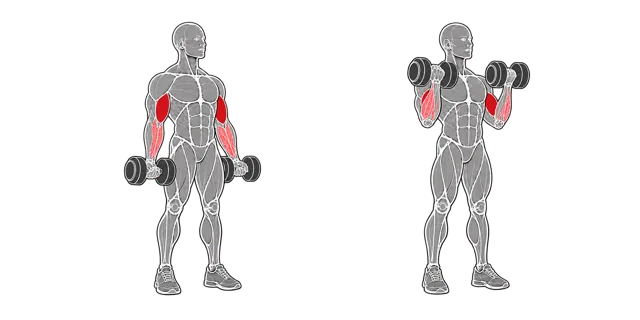
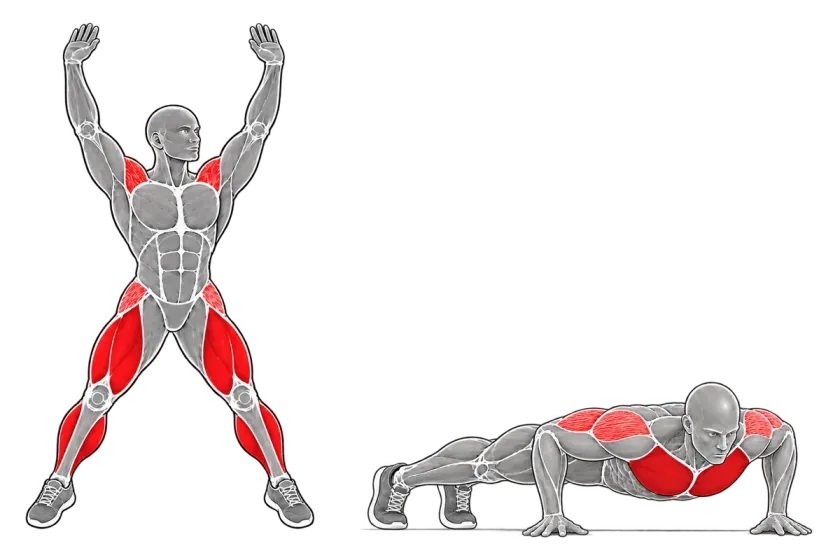
Every one drawn with the working muscles in red, filtered to the equipment where you train.
Plenty Ready to Go
Workouts, interval timers, bodyweight workouts and programs you can start today.
Completely Yours
Change any of it, or build your own from scratch: exercises, sets, rest, steps and order.
Coach or No Coach
Let the AI coach set it all up, ask it for help now and then, or skip it and do it all yourself.
Lifting
Built Around Your Gear
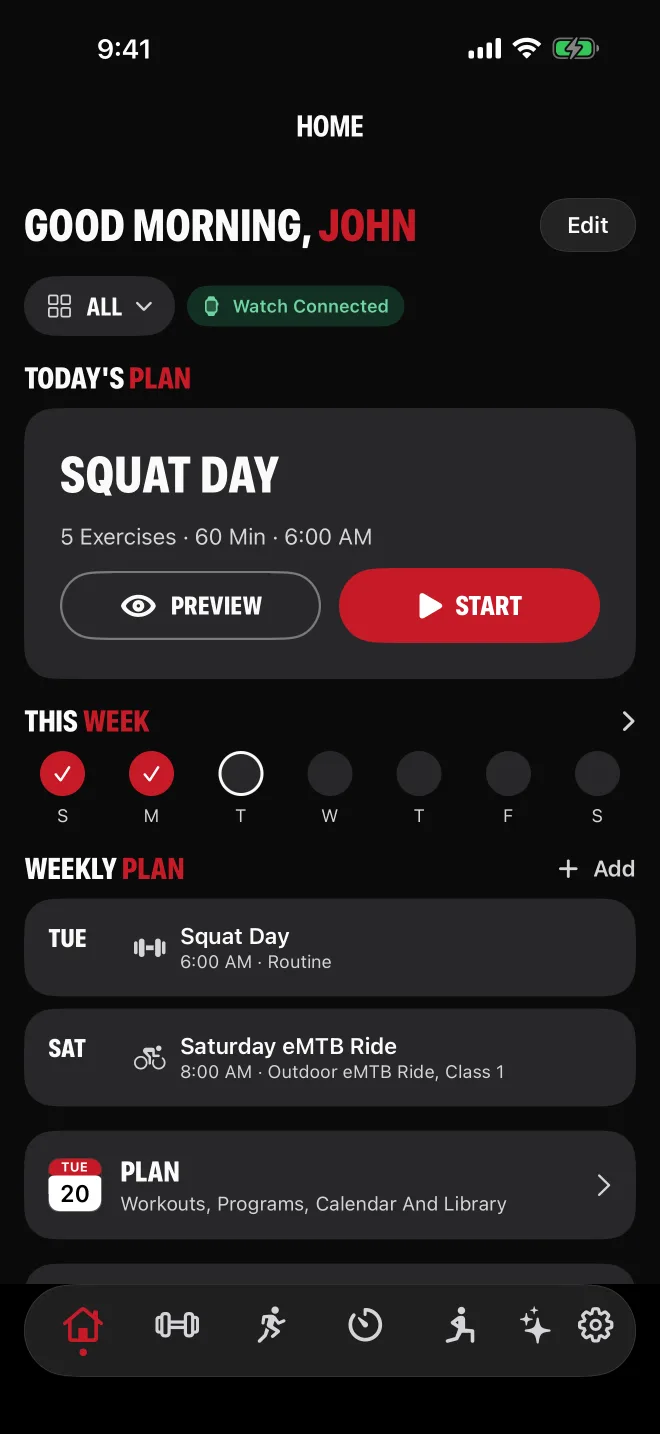
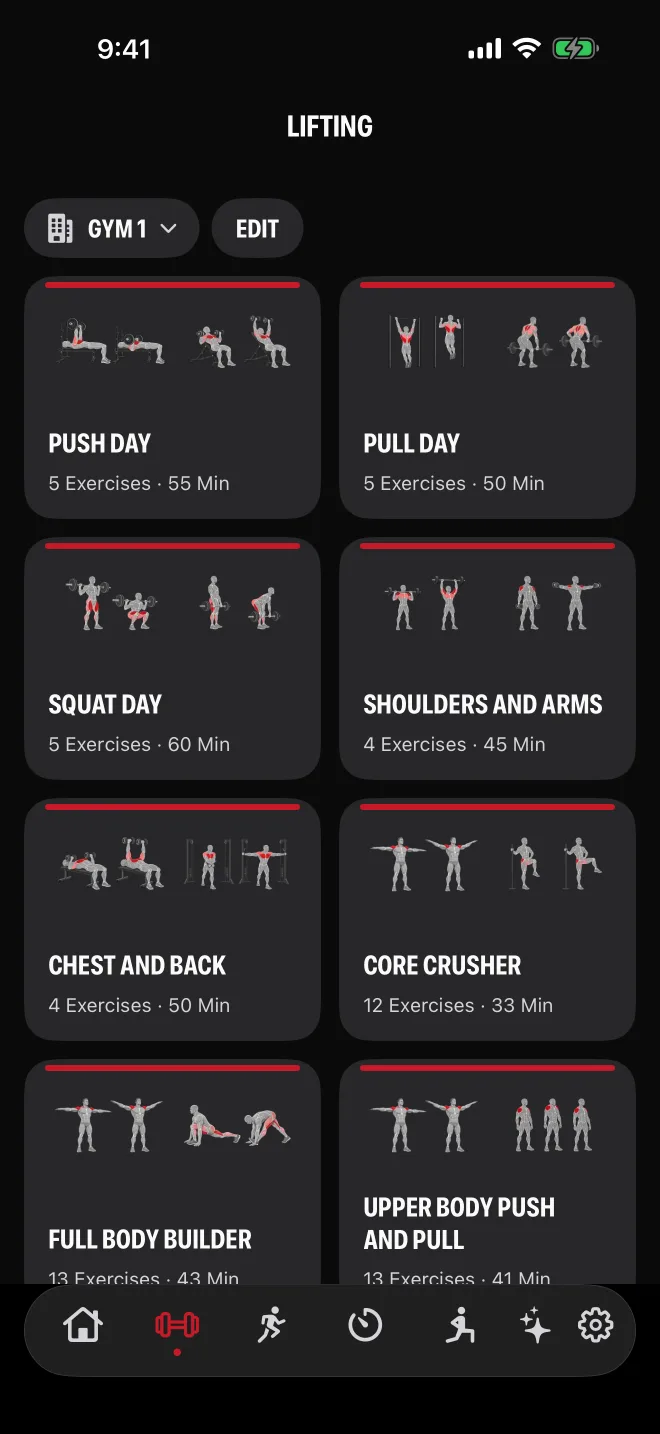
Tell Fireball Fitness what equipment you have and it plans with only that. Every exercise is drawn as a figure with the working muscles in red, so you can see the movement at a glance.
During the workout, audible cues and the voice assistant tell you what exercise is next, with the weight and reps, so your eyes stay off the screen.
History and Personal Bests
Every set is logged. Progress compares like with like at each location, with personal bests per exercise and an estimated one-rep max.
Locations and Equipment
Gym 1, Gym 2, Home or the park: each place keeps its own equipment, and workouts and the exercise library show only what fits there.
New Weights
Lifted more than the plan said? When you finish, Fireball Fitness offers to save your new weights into the workout.
Plate Calculator
See which plates go on each side of the bar for the weight you are about to lift.
Set Templates
Save a set plan once (reps, rest and the weight change from set to set) and drop it on any exercise with a starting weight. 3x10, 4x8, 5x5 and Pyramid are ready to go.
Supersets and Mega Sets
Supersets, tri-sets, giant sets and mega sets run member to member with no rest in between, then one rest per round.
Voice Assistant
Between sets it tells you what is next, with the weight and reps, and gives you a heads-up before your last set.
Cardio
Ride, Run, Swim, Punch, Skip
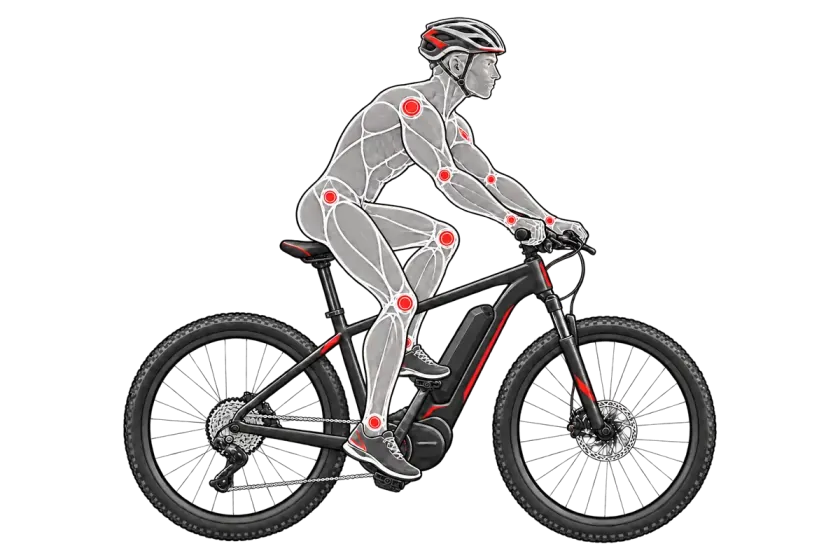
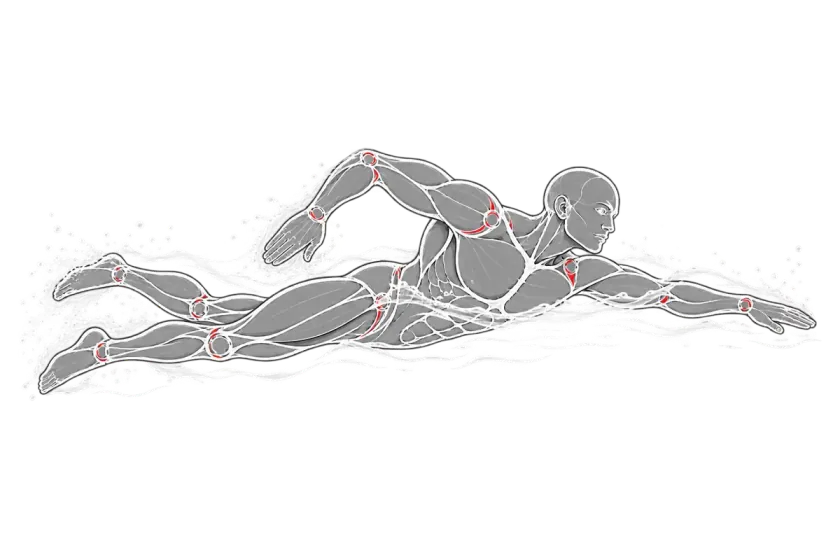
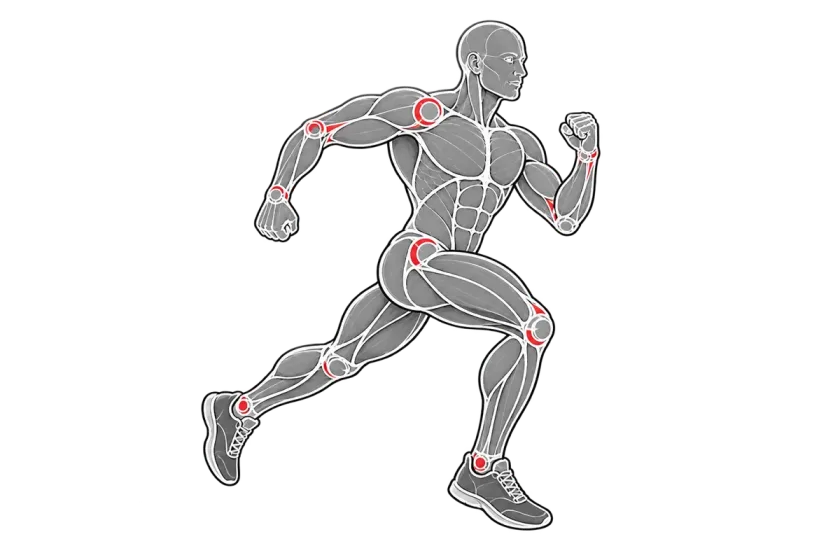
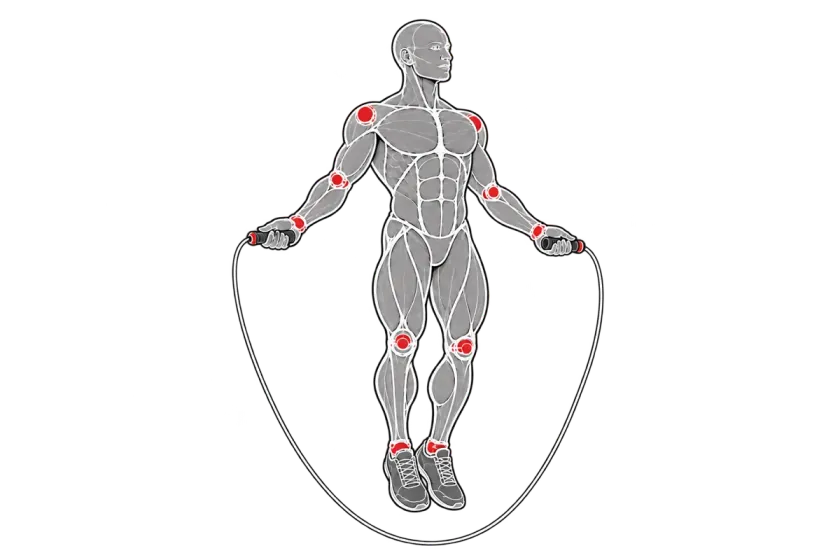
From an eMTB on the trail to yoga in the living room, every activity has its own tile, and a 3-2-1 countdown starts it.
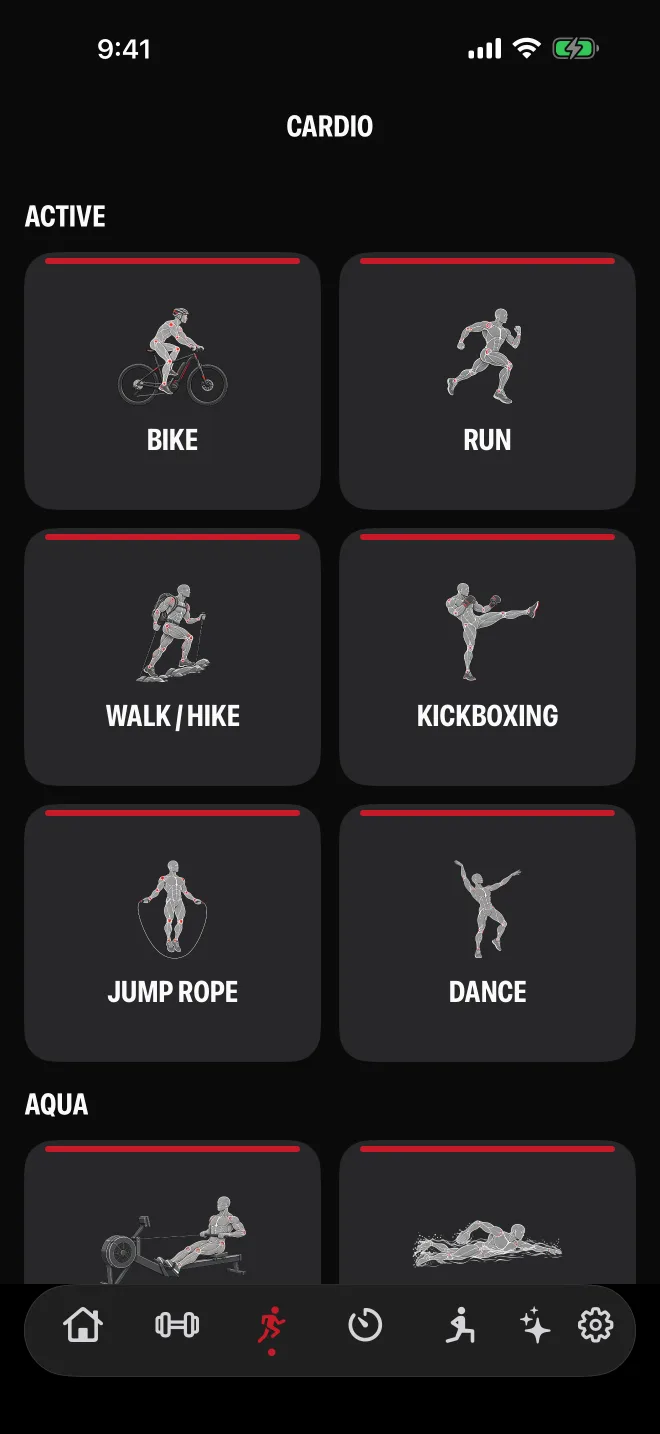
Active
- Bike
- Dance
- Jump Rope
- Kickboxing
- Run
- Walk or Hike
Aqua
- Rowing
- Swim
- Water Aerobics
Flexibility and Mobility
- Core Training
- Mobility
- Pilates
- Stretching
- Yoga
Bikes and E-Bikes
eRoad, eMTB and eCruiser e-bikes in Class 1 or Class 2, or a road, mountain or cruiser bike. Calorie estimates follow the assist.
Custom Activities
Add your own activity in four short steps: name, effort, picture and group. It works like Yoga or Dance, with a timer and a calorie estimate.
GPS Routes and Elevation
Outdoor workouts draw your route, with your lowest and highest point, total climb and an elevation chart.
Heart Rate and Calories
Heart rate from your Apple Watch. Calories say Measured when your Watch measured them, and Estimate when they are worked out from your weight, speed and the activity.
Pool and Open Water
Set the pool length and count laps, or swim in open water with GPS.
Runs, Walks and Hikes
Run on a treadmill, pavement or trail. Walk or hike, and a hike is counted and saved to Apple Health as one.
Spoken Splits
Hear your stats every 1, 2, 5 or 10 miles or kilometers, with your heart rate if you want it.
Intervals
Timers That Talk You Through It
Ready-made interval workouts in folders by activity, each one ready to start or copy and change.
Folders
- CrossFit
- HIIT
- Jump Rope
- Kickboxing
- Low-Impact
- Spinning
- Swimming
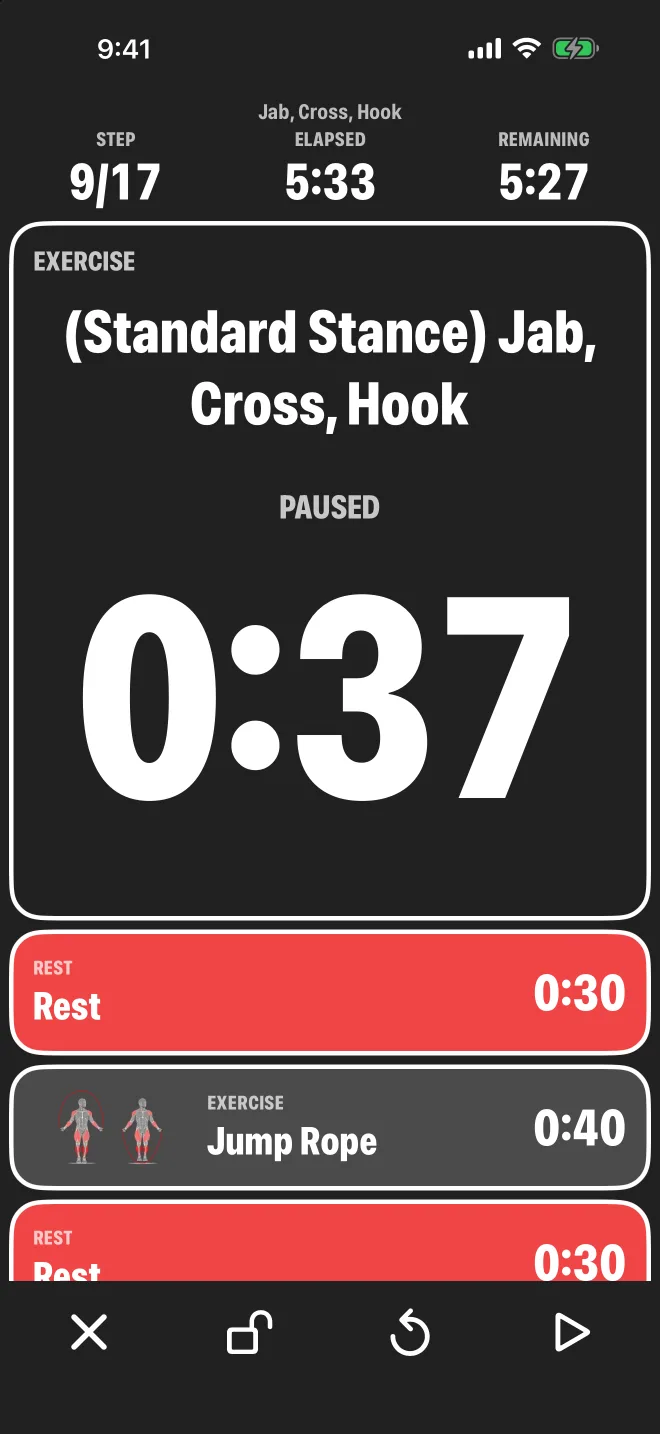
Formats
AMRAP
As many rounds as possible in the minutes you set. Tap +1 Round after each lap.
EMOM
Every minute on the minute, with the next minute's exercise on screen.
For Time
A stopwatch with Split and Finish, and an optional time cap.
Rounds
Sets of intervals with the rests you choose.
Tabata
20 seconds of work, 10 of rest, 8 rounds, all editable.
Big Color-Coded Steps
Exercise, Bodyweight, Rest and Beast Mode steps are colored and named your way, or go Colorless. Tap a step to jump to it.
Build Your Own
Add, reorder and delete steps, sets and rests, or duplicate a built-in timer and make it yours.
Ride and Swim Targets
Cadence, power, distance, stroke and lap targets for bike and pool timers.
Round Bells
Boxing-style bells: one ding to start, a clack at ten seconds, a 3-2-1 count and three dings to end, with matching taps on your Watch.
Voice Countdowns
Each step is called by name with a 3-2-1 count in, and the voice tells you when your last step is coming.
Bodyweight
No Gym Required
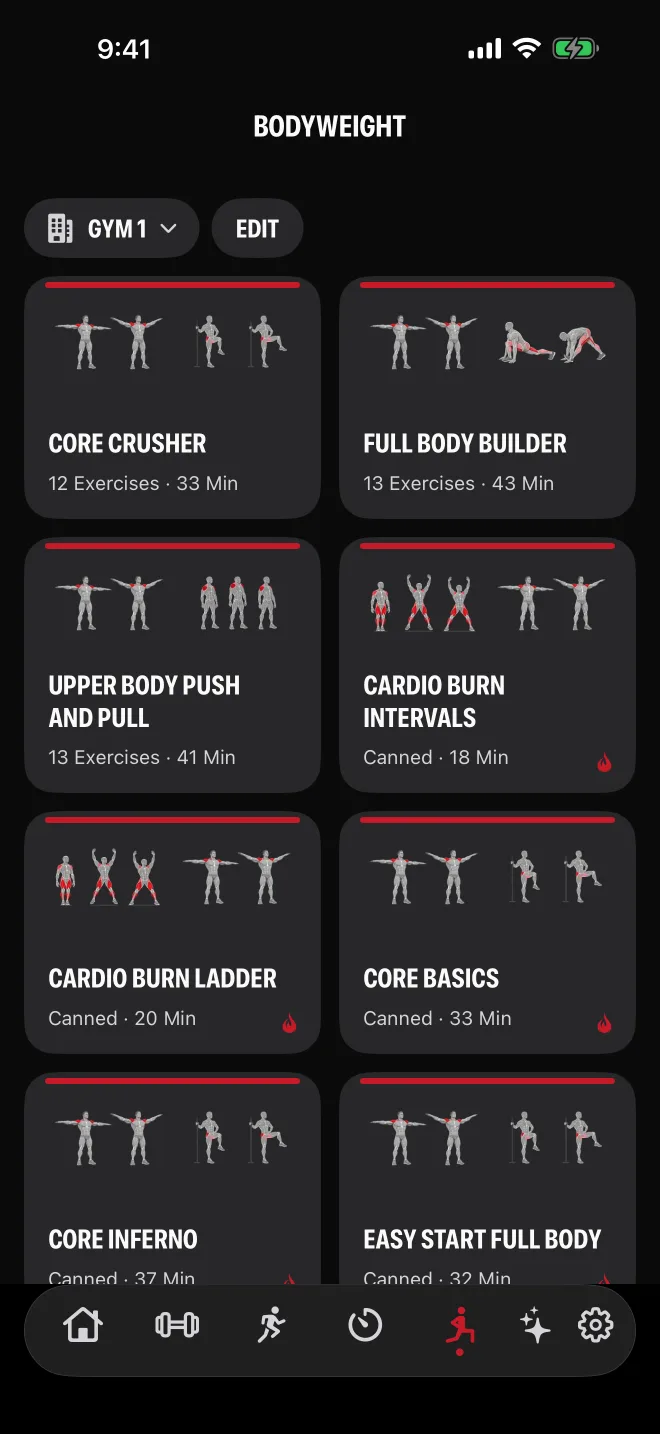
Calisthenics, reps and holds with no weights. Train at home, in a hotel room or at the park.
Outdoor Park Fitness
Outdoor park equipment is in the catalog, so the park down the street can be a training location like any gym.
Programs
Two bodyweight programs, Bodyweight Foundations and the Thirty Day Bodyweight Challenge, ready to put on your calendar.
Ready-Made Workouts
24 ready-made workouts, from Quick 10 Blast to Full Body Superset Circuit, with quiet no-jumping options. Save a copy and make it yours.
Start Empty
Pick a first exercise and build the workout as you go.
Apple Watch
One Workout, Phone and Watch
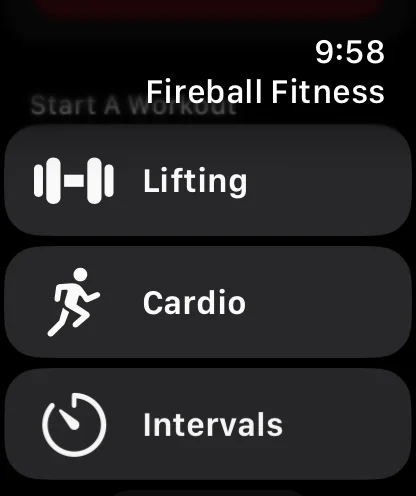
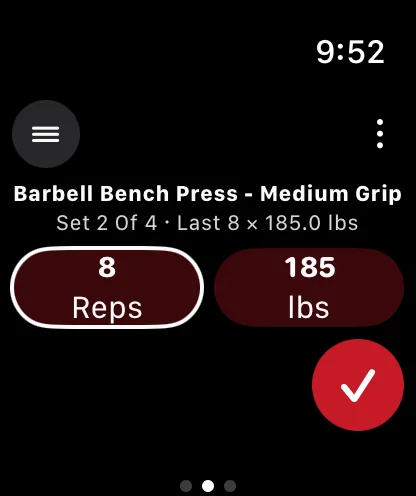
Keep your phone in your bag. Your Watch runs the same workout, and it keeps a copy of your workouts so it works with no phone nearby.
Control it from either side, Watch or phone: log a set on your wrist and the phone follows, pause on the phone and the Watch pauses. Audible cues, wrist taps and the voice assistant tell you what is next.
Apple Health
Save finished workouts to Apple Health, with the route for outdoor ones, and use your heart rate, active energy and weight. Only with your permission.
Digital Crown
Turn the crown to change the weight or reps without touching your phone.
Live Activity and Dynamic Island
Your exercise, set and rest countdown, the current interval or your ride's time and distance, on the Lock Screen and in the Dynamic Island.
One Shared Workout
Start on your iPhone or Apple Watch and the other joins the same workout by itself. Log a set, change the weight or reps, skip or pause from either.
Rest Bell and Wrist Tap
When rest ends, the bell rings in your headphones and your Watch taps your wrist at the same moment.
Siri and Shortcuts
Start a run, pause, resume, end, or ask how you are doing, by voice or from a Shortcut.
Watch Face Complications
Open the app, see today's planned workout, or follow the workout in progress from your watch face and the Smart Stack.
AI Coach
The Easy Button
No spreadsheets and no hour of setup. Fireball Sidecar is built in as your coach: answer the start questions or just say what you want, and it sets up your workouts, places, goals and week for you.
You stay in charge. It shows every change, asks before it deletes anything, and check-in changes wait for your approval. It sees your workouts and workout summaries only after you agree, and never your route coordinates or your Apple Health samples.
About Sidecar →- Tell it the workout you want and it builds it.
- Adapt With Coach suggests weight, rep, set and exercise changes from your last few weeks, with the reason for each.
- Import From Photo turns a whiteboard, screenshot or printed plan into a workout you can edit.
- Plan your week, set goals and hold check-ins that review your last four weeks.
- Ask what your stats mean and what to try next.
MCP
Bring Your Own AI
Already use a frontier assistant? Connect Claude or any other assistant that supports MCP, and it can read and build your workouts, timers, goals, programs and schedule. Setup becomes a conversation.
Connect in Three Steps
- Open the web app and go to Settings, Connected Assistants.
- Create an access token, choose what it may do, and copy it.
- Paste the token and the MCP address into your assistant.
MCP Address
https://api.fitness.fireballenterprise.com/v1/mcpYou Choose What It Can Do
- Edit
- Changes Workouts and logs the workouts you did.
- History
- Deletes workouts and replaces data on import.
- Read
- Looks at your data.
- Route
- Shows the GPS route of outdoor workouts. Without it, an assistant sees only that a route exists.
A token can never delete your account, change your coach choice or create other tokens. Revoke it and it stops at once.
Your assistant uses its own account, billing and limits. Those subscriptions are separate from Fireball Fitness and Sidecar.
Plan
Your Week, Planned
Put workouts on the calendar, set goals, follow a program and let the reminders keep you on track. Plan on the big screen at fitness.fireballenterprise.com.
Achievements
Trophies for your first workout, new personal bests, goals met and 7 and 30 day streaks.
Apple Calendar
Optional sync of your workouts, goals and check-ins into their own calendar, with no health numbers in the titles.
Calendar
Workouts, goals, reminders, check-ins and achievements on one month view, each with its own icon.
Goals
Lift targets, workouts per week, distance, duration, body weight, body fat, lean muscle mass or your own, with progress bars.
Programs
Multi-week plans with weights that build each week and optional deload weeks. Beginner Full Body 12-Week and Upper Lower 3-Week Rotation are ready to start.
Reminders and Alarms
Named reminders like Pre-Ride or Leave, as notifications or as an alarm that rings.
Scheduled Workouts
Put a ride, run, timer or workout on chosen weekdays or dates.
Web Planner
Build workouts, run timers and review your calendar, programs and progress on the big screen.
Easier on a Desktop
Prefer a keyboard and a big screen for building workouts? Use the web app. Everything you make there is on your iPhone and Watch the next time they sync.
Open the Web App →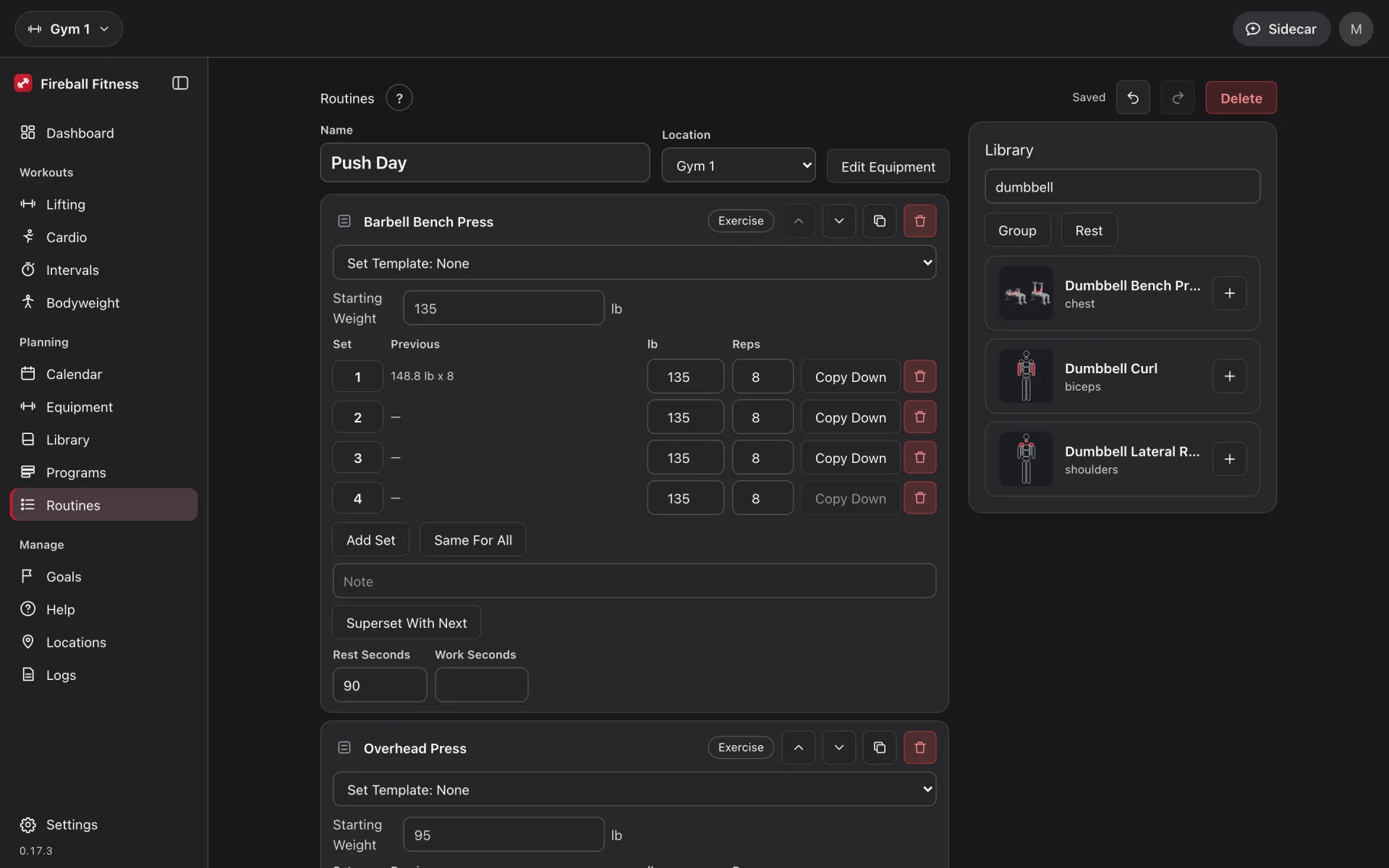
Your Data
Yours to Keep
Bring your history with you, take it anywhere, and decide who sees what.
Delete
Deleting a workout deletes its route. Deleting your account deletes every workout, route, saved Workout, place, token and setting.
Export
Everything as JSON, or spreadsheet-ready CSV of your workout history (one row per set) and your saved Workouts.
Import
Bring your workouts from other apps. Preview first, then merge, replace or skip duplicates.
Private Routes
Routes are recorded only during an outdoor workout, kept out of logs, never sent to the coach, and shown to an assistant only with the Route scope.
Pricing
Free to Start
Free
$0
Monthly
$10 / month
Annual
$110 / year
Includes Sidecar Bronze with your subscription. Free comes with Sidecar Free.
Projected pricing. It may change without notice. Checkout is not live yet.
See Plans →Status
In TestFlight
Fireball Fitness for iPhone and Apple Watch is in TestFlight now, with the web app open at fitness.fireballenterprise.com. The release will be in the Apple App Store.
Downloads →- Is Fireball Fitness available yet?
- The iPhone and Apple Watch apps are in TestFlight now: open Downloads and tap Get TestFlight. The web app at fitness.fireballenterprise.com is open now, free to sign up.
- What does it cost?
- Sign-up is free. The paid plan is planned at $10 a month or $110 a year. This is draft pricing and checkout is not live yet. Fitness Plus includes Sidecar Bronze with your subscription; the free plan comes with Sidecar Free.
- Does Fireball Fitness give medical advice?
- No. Fireball Fitness is a training tool, not a medical service, and it makes no promise of results. Talk to a professional before starting a new program.
- Can my own assistant use Fireball Fitness?
- Yes. Create an access token in the web app under Settings, Connected Assistants, and connect any assistant that supports MCP. You choose what it may do, and you can revoke it at any time.